Percentage Calculator — Five Tools in One
You know the percentage. You know the number. But the moment you need the actual figure — the discount amount, the salary increase, the test score, the markup — your brain stalls. Percentages are everywhere and they trip people up constantly, not because the maths is hard but because knowing which formula to use is not always obvious.
This free percentage calculator handles five common percentage problems in one place. Type your numbers and the answer appears instantly — with a full step-by-step solution showing exactly how it was calculated.
What This Percentage Calculator Does
What is X% of Y — the most searched percentage calculation. Enter a percentage and a number, get the exact value. What is 20% of 350? What is 8.5% of 1,200? Instant answer with working shown.
X is what % of Y — finds what percentage one number represents of another. You scored 47 out of 60 — what percentage is that? Your rent is £950 of a £3,200 income — what share is that? Essential for test scores, budgeting and data analysis.
% Change — calculates how much something has increased or decreased in percentage terms. Salary from £30,000 to £33,000 — what % increase? Price dropped from $200 to $150 — what % decrease? Result shows green for increase, red for decrease.
Discount — enter the original price and discount percentage, get exactly how much you save and what you pay. Useful for shopping, sales seasons and price comparisons.
Markup — enter cost price and markup percentage, get the sell price, profit and gross margin. Essential for freelancers, retailers and anyone pricing products or services.
Every tab shows a step-by-step solution automatically — no need to remember formulas.
Mental Maths — Quick Percentage Shortcuts
When you need a fast rough answer:
10% — move the decimal point one place left. 10% of 350 = 35.
20% — find 10% then double it. 20% of 350 = 70.
5% — find 10% then halve it. 5% of 350 = 17.5.
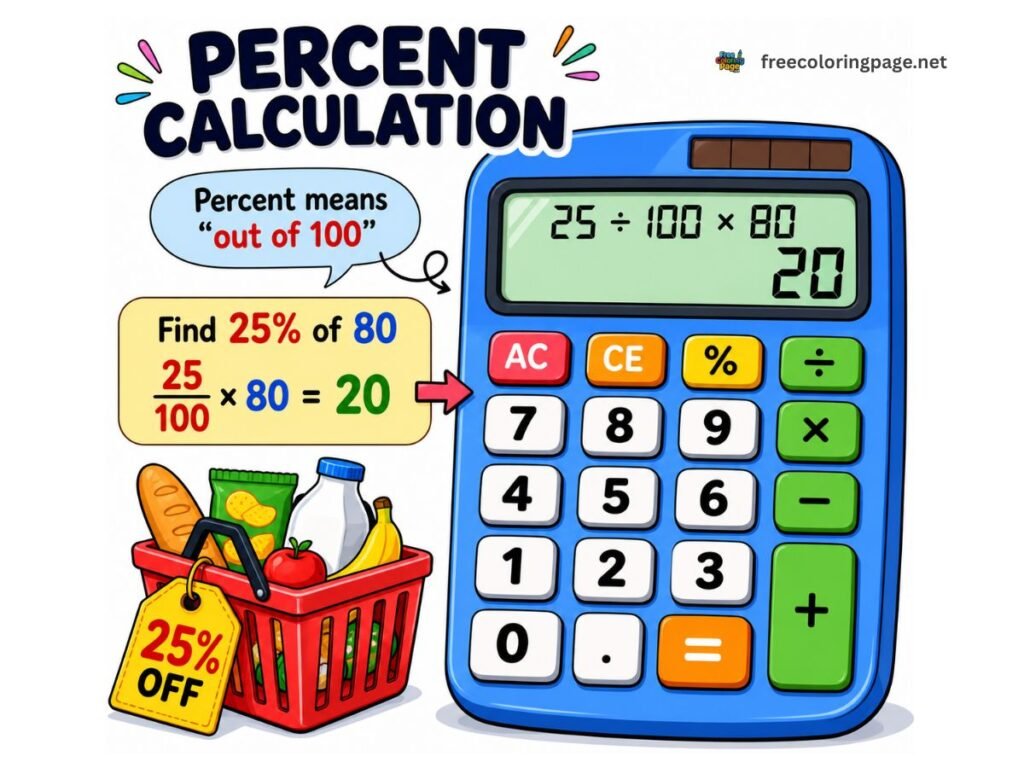
25% — divide by 4. 25% of 350 = 87.5.
50% — divide by 2. 50% of 350 = 175.
15% — find 10% and 5%, add them. 10% of 80 is 8, 5% is 4, so 15% = 12.
1% — move the decimal point two places left. 1% of 4,500 = 45.
Real-World Uses for a Percentage Calculator
Shopping discounts — a 30% discount on a £120 item saves you £36, so you pay £84. Use the Discount tab for any sale price instantly.
Salary increases — your salary goes from £28,000 to £30,800. That is a 10% increase. Use the % Change tab to verify any pay rise quickly.
Test scores and grades — you scored 47 out of 60. Use “X is what % of Y”: 47 ÷ 60 × 100 = 78.3%. Converts any raw score to a percentage in one step.
VAT and tax — price before VAT is £200. VAT at 20% = £40. Total = £240. Use “What is X% of Y” to find the tax amount on any price.
Business pricing — you buy a product for £15 and want a 60% markup. Sell price is £24, gross margin is 37.5%. The Markup tab shows both at once.
Commission — £4,500 in sales at 8% commission. What is 8% of £4,500 = £360. One calculation, one second.
Budgeting — rent is £950, income is £3,200. 950 is what % of 3,200 = 29.7% going to rent. Instantly see where your money goes.
Markup vs Margin — What Is the Difference?
This is one of the most misunderstood concepts in business pricing and it causes real errors.
Markup is the percentage added to the cost price. A 50% markup on a £10 cost gives a £15 sell price.
Margin (gross margin) is the profit expressed as a percentage of the sell price. That same £5 profit on a £15 sell price is a 33.3% margin — not 50%.
The same profit gives a different percentage depending on which base you use. Markup is always higher than margin for the same transaction.Adding a second tip on top of an automatic gratuity is a common and expensive mistake.
Markup % |
Gross Margin % |
|---|---|
|
10% |
9.1% |
|
20% |
16.7% |
|
25% |
20% |
|
50% |
33.3% |
|
100% |
50% |
|
200% |
66.7% |
Use the Markup tab to see both figures at once for any cost and markup percentage.
Common Percentage Mistakes
Reversing percentage changes — a 20% increase followed by a 20% decrease does not return to the original. Start at 100, increase by 20% gives 120, decrease 20% of 120 gives 96. Net result is a 4% loss — not zero.
Confusing markup and margin — pricing a product with a 50% margin target requires a 100% markup, not a 50% markup. The Markup tab shows both figures to prevent this mistake.
Percentage points vs percentages — an interest rate rising from 2% to 3% is a 1 percentage point increase but a 50% increase in the rate itself. These are very different and frequently confused in news reporting and financial documents.
Other Free Calculators
- Tip Calculator — Restaurant tips, bill splitting and round-up options
- Days Calculator — Date difference, business days and holiday exclusions
- Age Calculator — Exact age in years, months and days
- What Time Is It — Live local time and world clock for 100+ cities
Frequently Asked Questions
About This Tool
This percentage calculator is part of CalcDaysTime — a free suite of date, time and math tools built for accuracy and simplicity. All calculations run entirely in your browser. No data is collected, stored or shared.
Disclaimer: This tool is provided for general informational and educational purposes only. While every effort has been made to ensure accuracy, results should be verified independently before use in financial, legal, academic or professional contexts. CalcDaysTime accepts no liability for errors or omissions in the results produced by this calculator.