Bold Text Generator — Copy & Paste Bold Unicode Text
Instagram does not have a bold button. Neither does Twitter. LinkedIn posts look identical to everyone else’s unless you do something different. This free bold text generator converts your text into Unicode bold characters that copy and paste anywhere — social media bios, posts, comments, messages and usernames — and stay bold on every platform and device.
Why Bold Text Works Differently Online
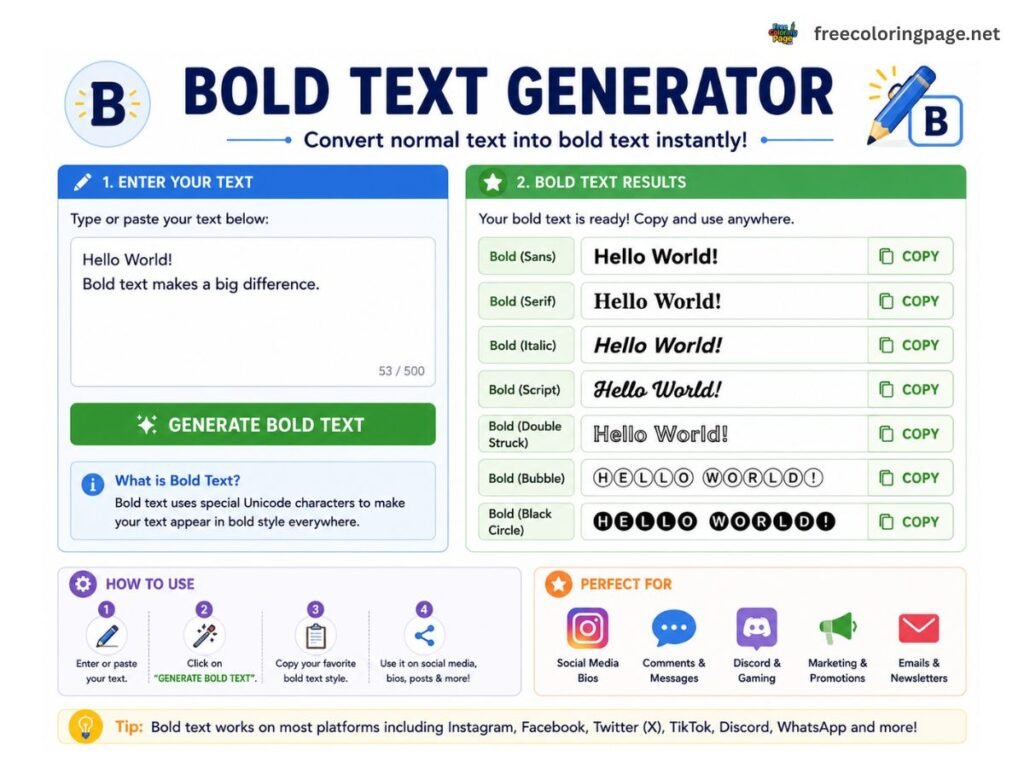
When you press Ctrl+B in Microsoft Word the application applies a formatting style to the text — but the characters themselves stay the same. Paste that text into Instagram and the bold disappears because Instagram strips all formatting and accepts only plain text.
Unicode bold works differently. Each bold letter is a genuinely different character — 𝐀 is not the letter A with bold styling applied, it is a distinct Unicode character that happens to look like a bold A. Because the bold is built into the character itself rather than applied as formatting, it survives copy and paste on every platform that supports Unicode — which includes every major social media platform, messaging app and browser.
Where You Can Use This Bold Text
Works on:
- Instagram — bios, captions and comments
- LinkedIn — headlines, posts, about sections and comments
- Twitter / X — tweets, bios and display names
- Facebook — posts, comments and profile names
- WhatsApp — messages and status updates
- Discord — usernames, nicknames, bios and messages
- TikTok — bios and display names
- YouTube — video descriptions and comments
- Telegram — messages and channel descriptions
- Reddit — posts, comments and usernames
Does not work on:
- Microsoft Word or Google Docs — use their native bold formatting instead
- Email subject lines — most email clients do not render Unicode mathematical symbols correctly
- Website content — use HTML
<strong>tags for web pages
How to Make Bold Text for LinkedIn
LinkedIn is where bold text makes the biggest practical difference. Your headline appears next to your name in every search result, connection request and message. Plain text gets ignored.
Example:
Plain: Software Engineer | AI Specialist | 10 Years Experience
Bold: 𝗦𝗼𝗳𝘁𝘄𝗮𝗿𝗲 𝗘𝗻𝗴𝗶𝗻𝗲𝗲𝗿 | 𝗔𝗜 𝗦𝗽𝗲𝗰𝗶𝗮𝗹𝗶𝘀𝘁 | 𝟭𝟬 𝗬𝗲𝗮𝗿𝘀 𝗘𝘅𝗽𝗲𝗿𝗶𝗲𝗻𝗰𝗲
Use Sans-serif Bold for LinkedIn — it is the cleanest and most professional style. Use bold sparingly in posts — one or two phrases for emphasis. Using it for entire paragraphs makes text harder to read, not easier.
How to Make Bold Text for Instagram
Instagram bios and captions support Unicode characters but have no native formatting controls.
Steps:
- Type your text into the bold text generator above
- Select your preferred style — Bold Script works well for personal brands, Bold for business accounts
- Click Copy
- Open Instagram → Edit Profile → tap Bio → paste
For captions type your text in the generator, copy and paste into the caption field when creating a post.
What Is Unicode?
Unicode is the universal standard for text encoding — the system that defines what every character, symbol and emoji looks like across every device and platform. It contains over 140,000 characters including letters from almost every written language, mathematical symbols and special characters.
The bold, italic and script characters in this generator come from the Unicode Mathematical Alphanumeric Symbols block — originally created so mathematicians could distinguish a plain x, a bold x, an italic x and a script x in notation. These same characters work perfectly for styled text on social media wherever HTML formatting is not available.
Other Free Tools
- Text Case Converter — UPPERCASE, lowercase, Title Case, camelCase and more
- Word Counter — Words, characters, reading time and keyword density
- Random Number Generator — Pick random numbers, roll dice, flip a coin
- Percentage Calculator — Percentage of a number, change and markup
Frequently Asked Questions
About This Bold Text Generator
This bold text generator is part of CalcDaysTime — a free suite of date, time and maths tools. All conversion happens entirely in your browser. Your text is never sent to our servers, stored or shared with anyone.
Disclaimer: Unicode bold characters are not recognised as bold text by search engines, screen readers or accessibility tools. For website content always use HTML <strong> tags. Unicode bold is intended for social media, bios and messages where HTML formatting is not available.